

Free

Appointment Management

Who's with which stylist, and at what time. Drag an appointment to a new slot; if it clashes, the calendar warns you before it saves. Customers can also book straight from their phone.

panel · calendar
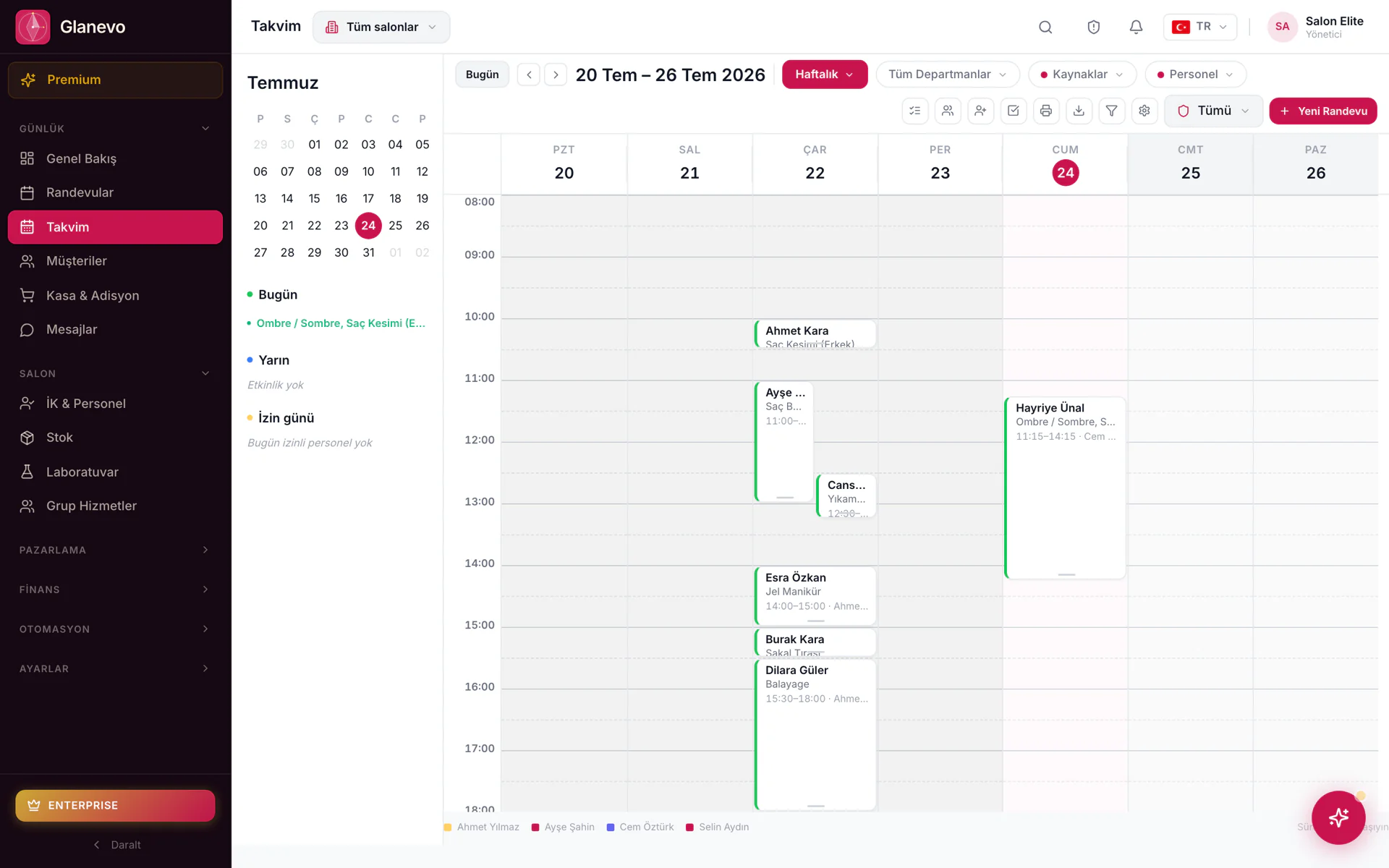
Weekly calendar in the Glanevo panel: appointments colour-coded per staff member, month view and day summary on the left

What can you do with Appointment Management?

  • Multiple stylists, multiple locationsEveryone's on the same calendar. You don't track who's where in a separate notebook; if two bookings land on the same slot, the calendar warns you before it saves.
  • Let customers book themselvesYour own website, the link in your Instagram bio, or WhatsApp. A customer can book at eleven at night, and the slot they picked is exactly what shows up in your dashboard.
  • Drag, move, confirmDrag an appointment with your mouse and drop it into a new slot. Choose whether incoming requests need your approval or confirm themselves automatically.

Splitting the calendar into intervals instead of one solid block — for colour work and anything else with waiting time — is D-CCM's job.

How D-CCM works

Ways to look at the day

Pick one on the left; the matching view opens on the right. All three read the same record — change one and the others follow.

panel
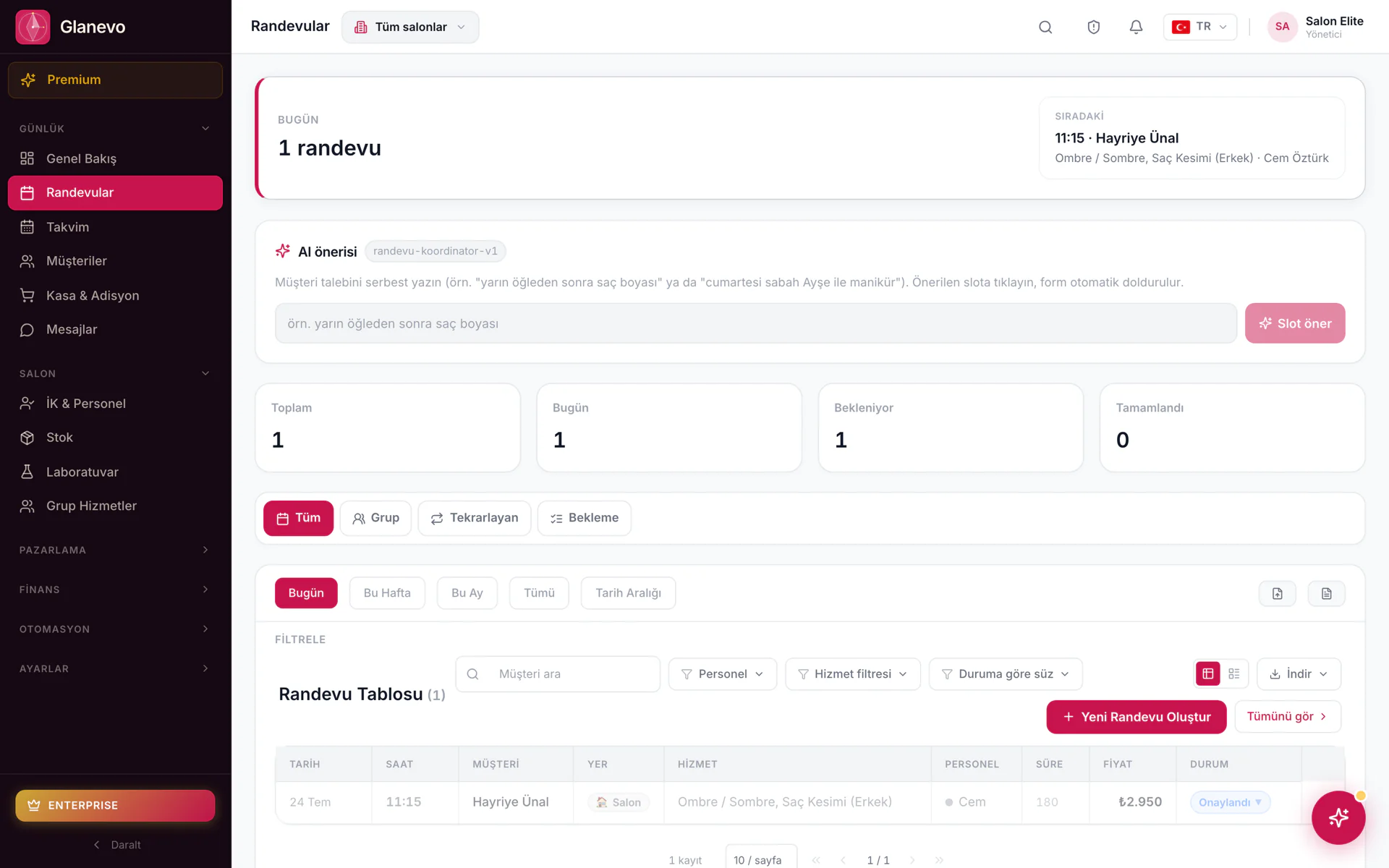
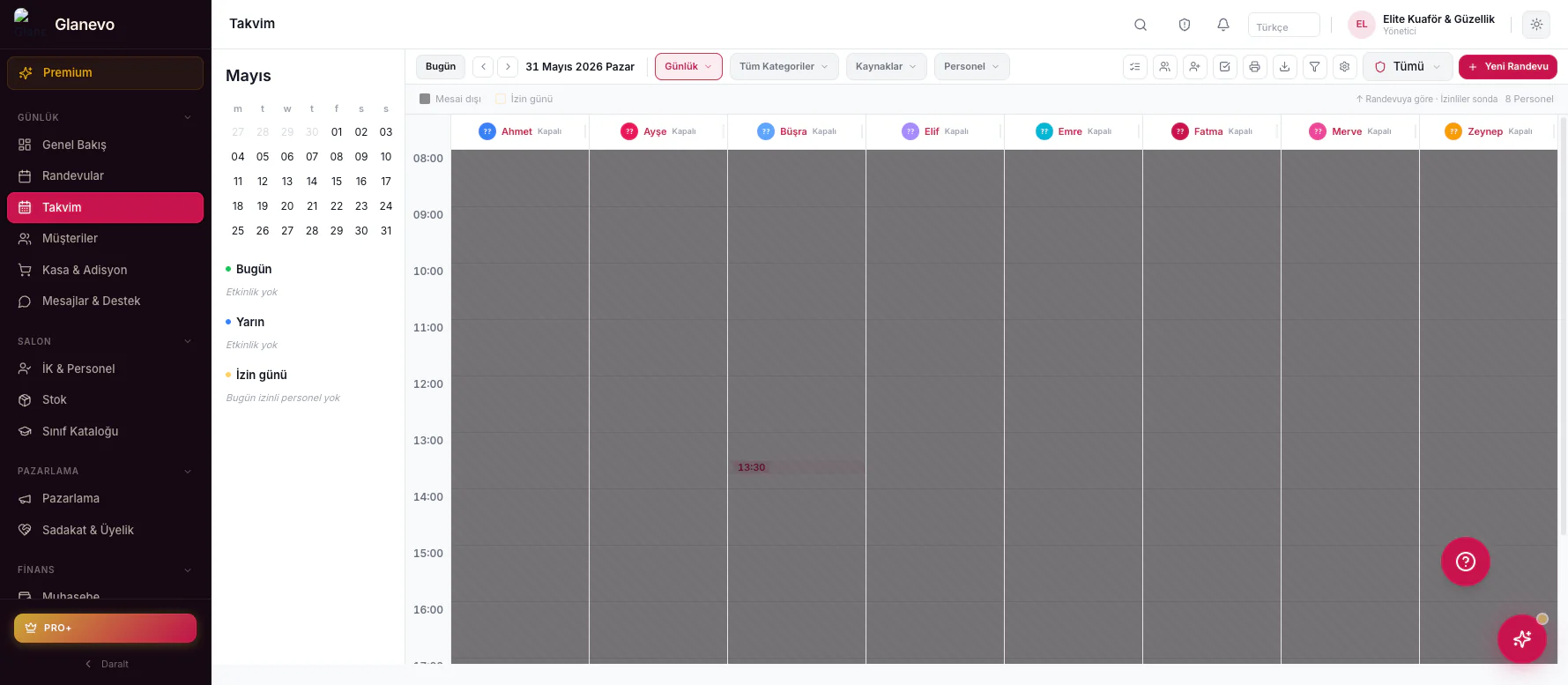
Weekly calendar view: 20-26 July, appointments marked in staff coloursAppointment list screen: total, today and pending counters, filter bar and appointment tableDaily calendar view: one column per staff member, off-duty hours shown as hatched areas

Weekly view — staff colours and occupancy across the week.

List — status, filters and free-time suggestions in one place.

Daily view — one column per staff member, off-duty hatched.

How an appointment lands

The gap appearsWorking hours, service duration and — if enabled — D-CCM's passive intervals are all taken into account. The online page reads the same record as the panel; nobody keeps a second book.
The record is writtenCustomer, service, staff member, time. Taking a deposit? Link it to the till. Not taking one? It stays a plain reservation.
The day runsArrived, no-show, rescheduled. Any change lands in the calendar and the list at the same moment; nobody writes it down a second time somewhere else.

At the desk and in the chair

Front desk

The “let me check” pause on the phone gets shorter. If the customer booked online, the record already arrives filled in.

  • Double bookings become far less likely
  • The waiting list fills a freed-up slot
  • Moving between branches follows the same logic

Stylist

The queue is clear. Notes and — if Laboratory is enabled — the formula link sit right on the appointment record.

  • Bridal and group work is set up with capacity
  • Free intervals stay visible for walk-ins
  • “Who is at what time?” never gets lost

A three-location barbershop in İzmir Alsancak

Fourteen people work across the three shops. A customer taps the link in Instagram, picks the nearest location, and sees only that location's open slots. Two people can't land on the same slot — the system simply won't take the second booking.

Included in every plan — the free plan too.

There are four plans and each builds on the one below it: whatever's in the lower plan stays in the one above it, with a few more modules added on top. So upgrading never means losing what you already have.