Who came, who is coming, which stylist is free
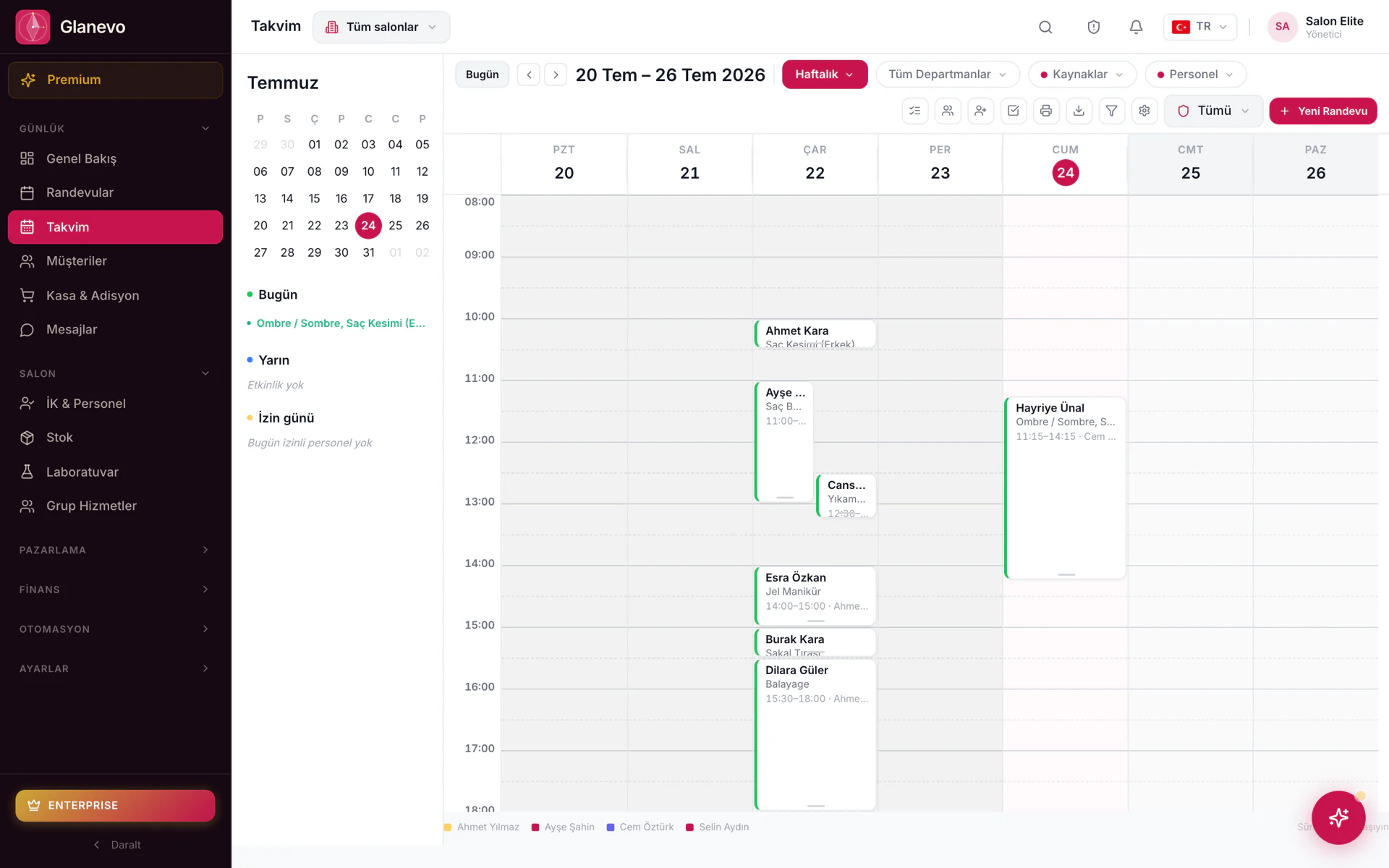
The day and week calendars show every booking.


Platform for hair & beauty salons
A salon day starts in the calendar and ends at the till. Both live in one place, so you never key the same sale twice.
The real panel
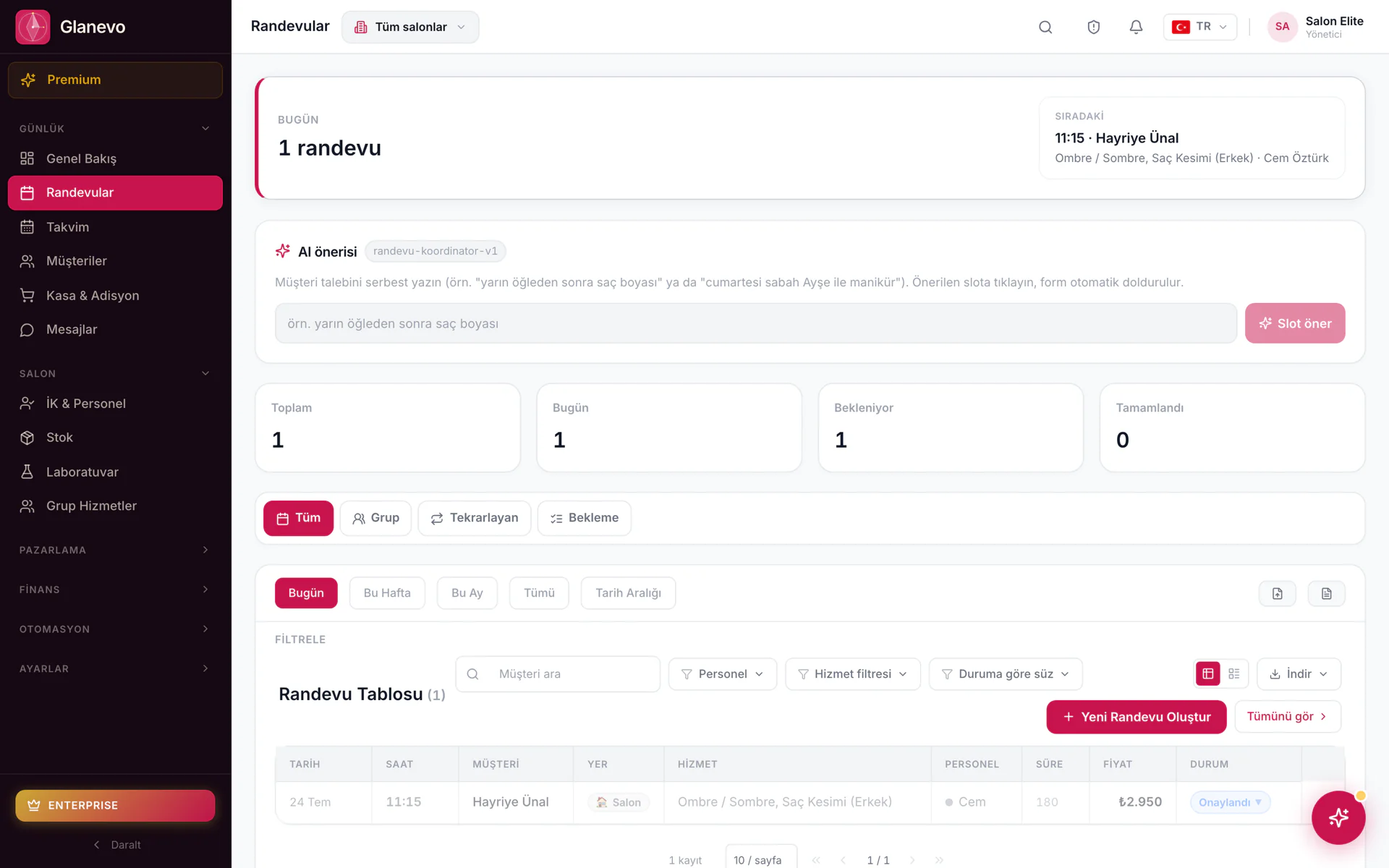
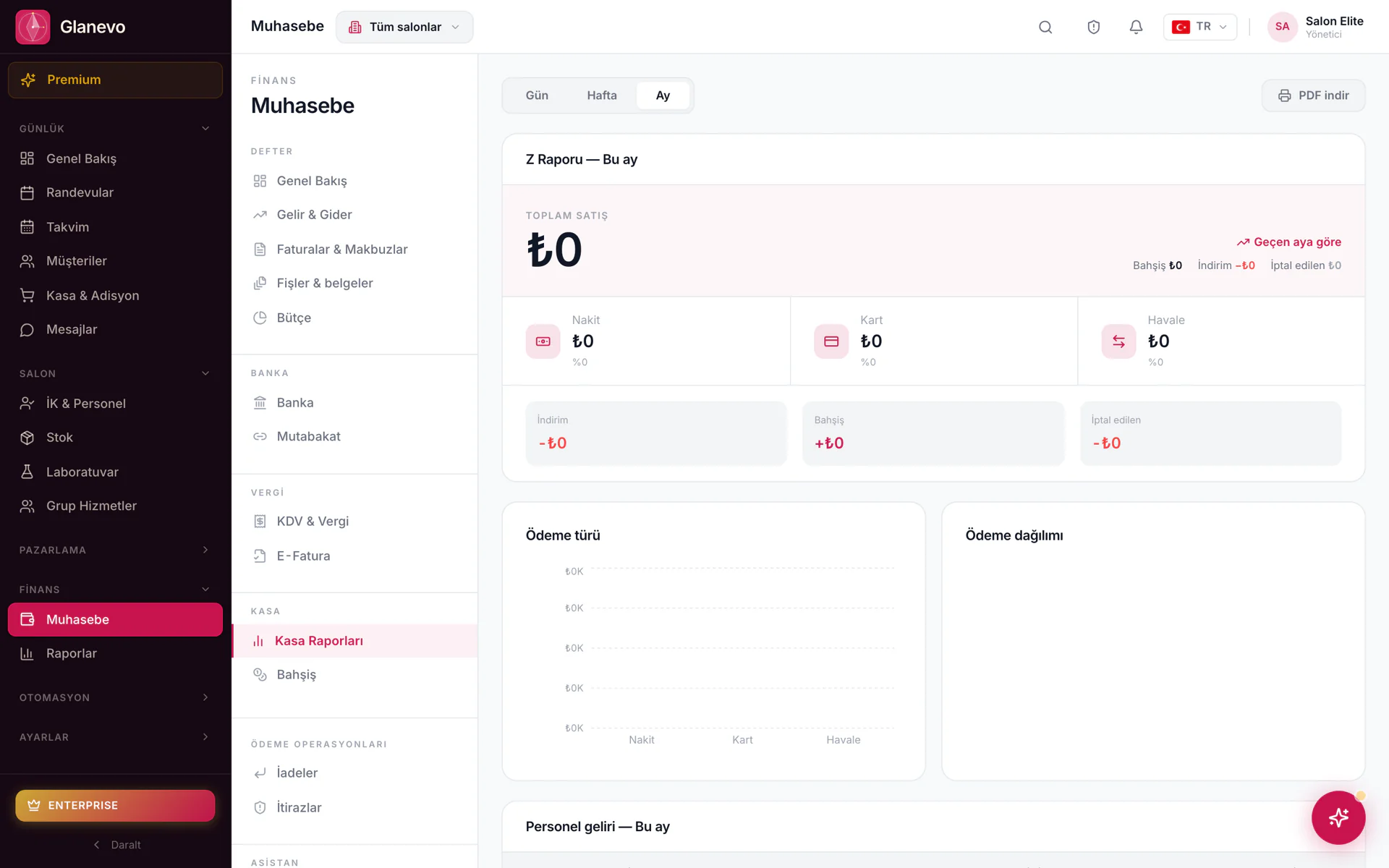
Not an artist’s impression — real frames captured from the panel. Pick one on the left, it opens on the right.
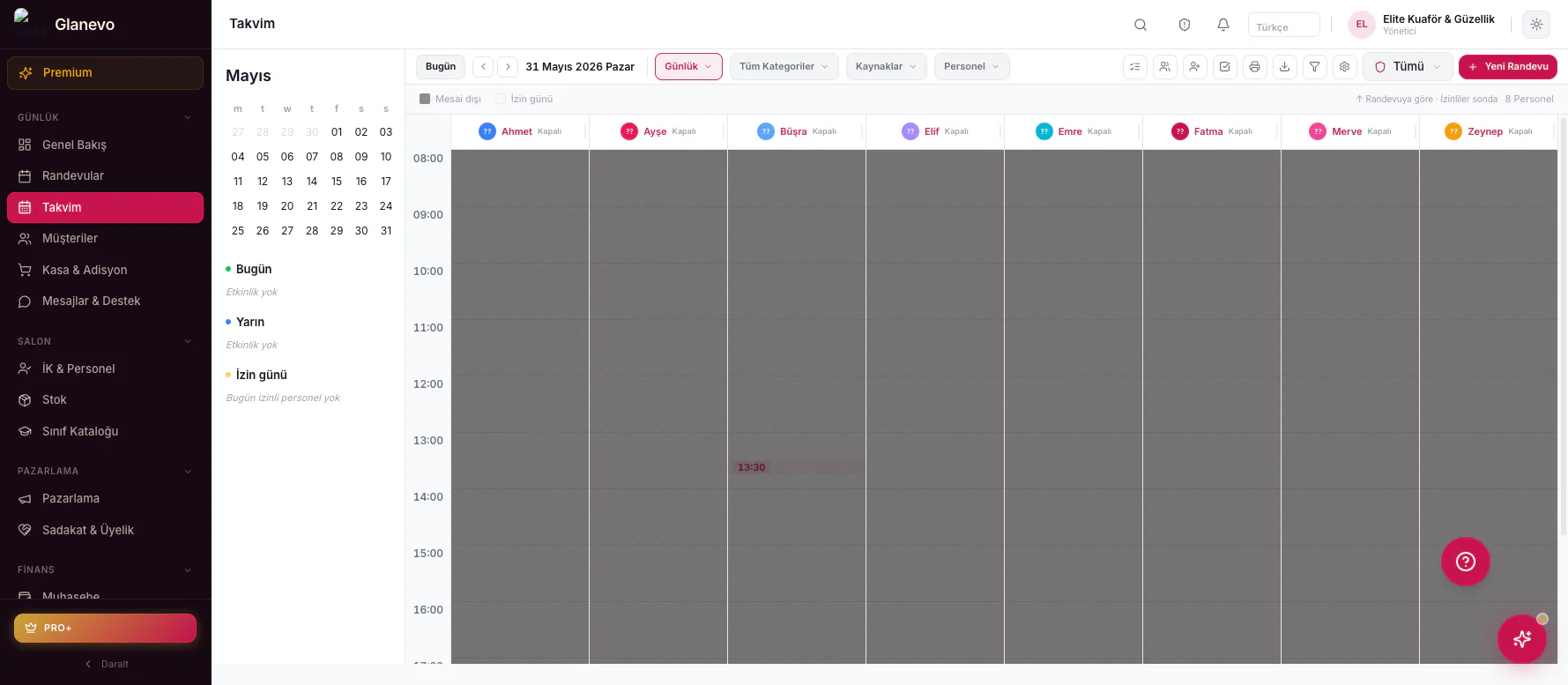
The day and week calendars show every booking.
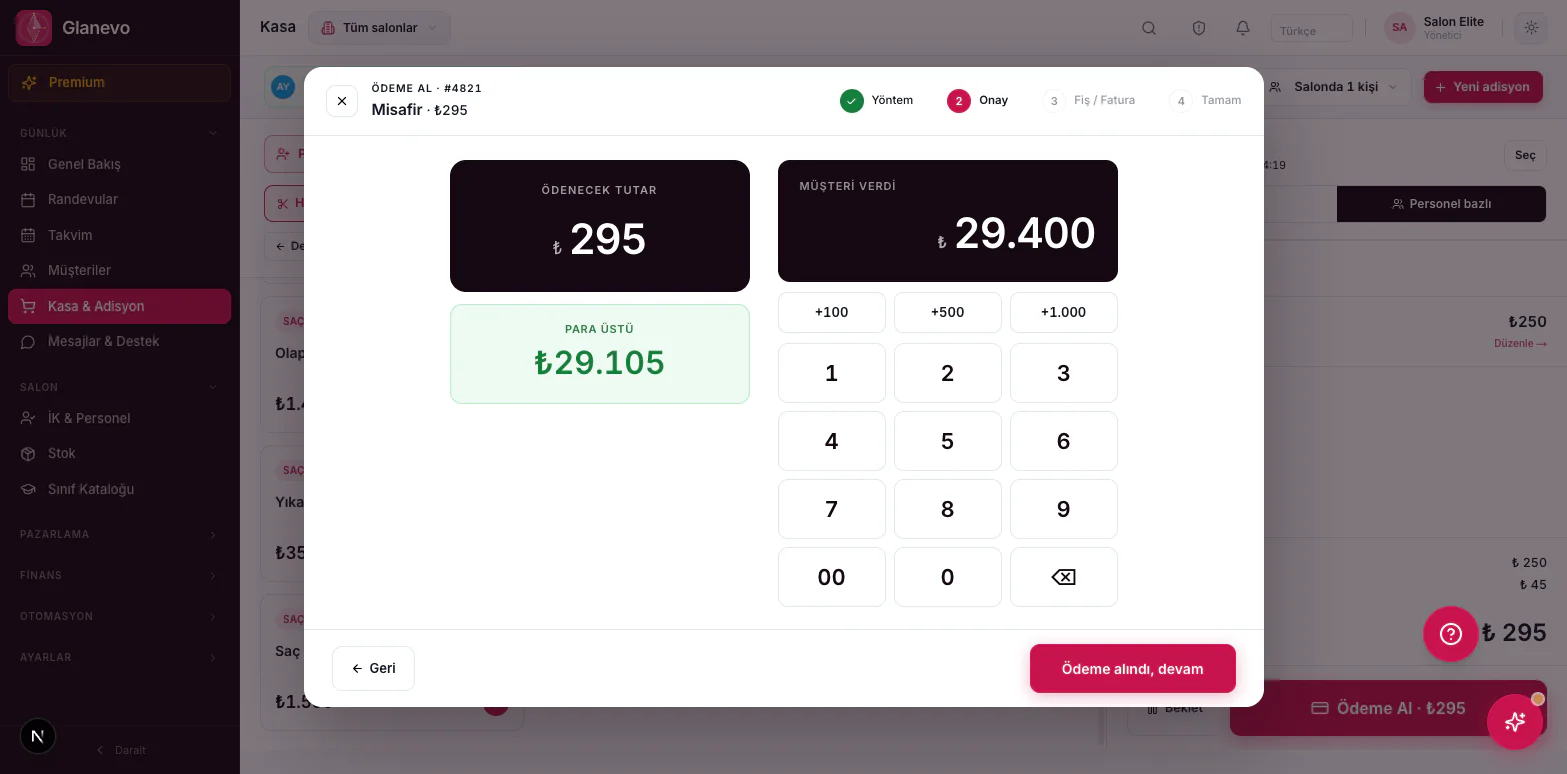
Services and retail on the same tab.
Each assistant is a specialist at one job.
Mix, ratio, brand and allergens — not on paper, but in an archive tied to the client.
Deep pages: module map →
Modules
Every module with its features and a real screenshot. Seeing a name in a menu isn’t enough; here you read what it actually does.
01 Bookings & Calendar
The day and week calendars show every booking. Stylist colours, department filters, online booking and the waiting list all sit in one place.
02 Till & Open tabs
Services and retail on the same tab. You pick the staff member, browse by department, and take cash or card. With several branches, each branch sees its own till.
03 AI Team
Each assistant is a specialist at one job. You don’t write the message; the draft lands in the Approval Box. On the default setting nothing reaches a client until you approve it, and any assistant you trust can be given full authority whenever you like.
“Hello Ayşe, you have colour + cut tomorrow at 14:00. We’re looking forward to seeing you. One tap is all it takes if you’d rather move it.”
Senses no-show risk early, fills the empty slot, calls back the ones who drifted away, suggests pricing.
Predicts stock running out, sets tax and payment per country, matches the client with the right stylist.
Content moderation, legal compliance, localisation — the right wording in 26 languages.
04 Lab
Mix, ratio, brand and allergens — not on paper, but in an archive tied to the client. The recipe runs together with stock. The capacity side is covered under D-CCM.
Invented at Glanevo
“The chair doesn’t sit empty while colour develops.” Classic calendars lock the passive time. D-CCM opens that time to a second client.
Most of a colour service is passive time: while the client waits for the colour to develop, the stylist is actually free. Classic calendars lock that time — hours of invisible loss every day.
D-CCM splits every service into active and passive segments; during the passive segment the calendar automatically opens for a second client. Same stylist, same window, two clients — not chaos, arithmetic.
The idea didn’t come from a developer’s desk; it came out of salon craft. Active and passive durations are entered once on the service, and the calendar, online booking and D-CCM all use that one definition.
A sample day
Hair colour service: the active and passive segments are defined on the service card.
10:00–12:00 is locked as a colour block. Stylist and chair wait out the development time.
A second booking opens inside the passive window. Stylist capacity grows with a single setting.
The stylist is with the client. The recipe is ready in the lab.
The chair is free. The calendar opens for a short service or a second client.
The same stylist comes back. The day doesn’t slip.
Only at Glanevo. D-CCM came out of salon craft. It works hand in hand with the Lab formulas. How D-CCM is set up →
Platform
40 modules, 550+ features — all of them working on the same data. The core is on in every plan; the rest either ship with your plan or switch on as add-ons. Your menu only shows what you use.
Bookings, clients and the craft record — the backbone of the working day.
At the desk and remotely — the till day closes without drama.
Employed team, chair rental or hybrid — under one roof.
Taking payment writes the sales record. The e-document adapter only opens in its own market, and only once proven.
19 specialist assistants — your salon’s invisible staff. You stay in control: suggest only · apply on your approval · run fully autonomously.
Information is collected before the client arrives; messaging, loyalty and the website run on the same line.
Bookings, clients and the craft record — the backbone of the working day.
At the desk and remotely — the till day closes without drama.
Employed team, chair rental or hybrid — under one roof.
Taking payment writes the sales record. The e-document adapter only opens in its own market, and only once proven.
19 specialist assistants — your salon’s invisible staff. You stay in control: suggest only · apply on your approval · run fully autonomously.
Information is collected before the client arrives; messaging, loyalty and the website run on the same line.
★ Roadmap
Everything your salon needs in one place: from bookings to the till, from stock to invoicing, under the rules of your own country. Our aim is clearer still: to run everything from one place. Below you see, kept apart, the features you use today and the ones queued on our roadmap — we do not brush you off with “coming soon”; when something goes live, you hear it here.
Sell your products on marketplaces such as Trendyol as well; stock and orders stay in the same panel as before.
With e-waybill, e-self-employment receipt and e-ledger support, your accounting file becomes digital end to end.
Fiscal printer integration in Türkiye; your receipts are issued from the panel today, the legal ÖKC link is on our roadmap.
One-click hand-off to Paraşüt, Bexio and comparable programs.
One identity across every branch, for salon chains.
Forms & surveys
Required forms during online booking, health and consent documents, and satisfaction surveys. No need to hand the client a clipboard.
Extra questions at booking time: allergies, preferences, special notes. If a required field is missing, the booking doesn’t complete.
Approval before colour or treatment. The signature and date stay on the client card and show in the lab profile.
Satisfaction after the session. You choose which client group it goes to and send; results are gathered in the reports.
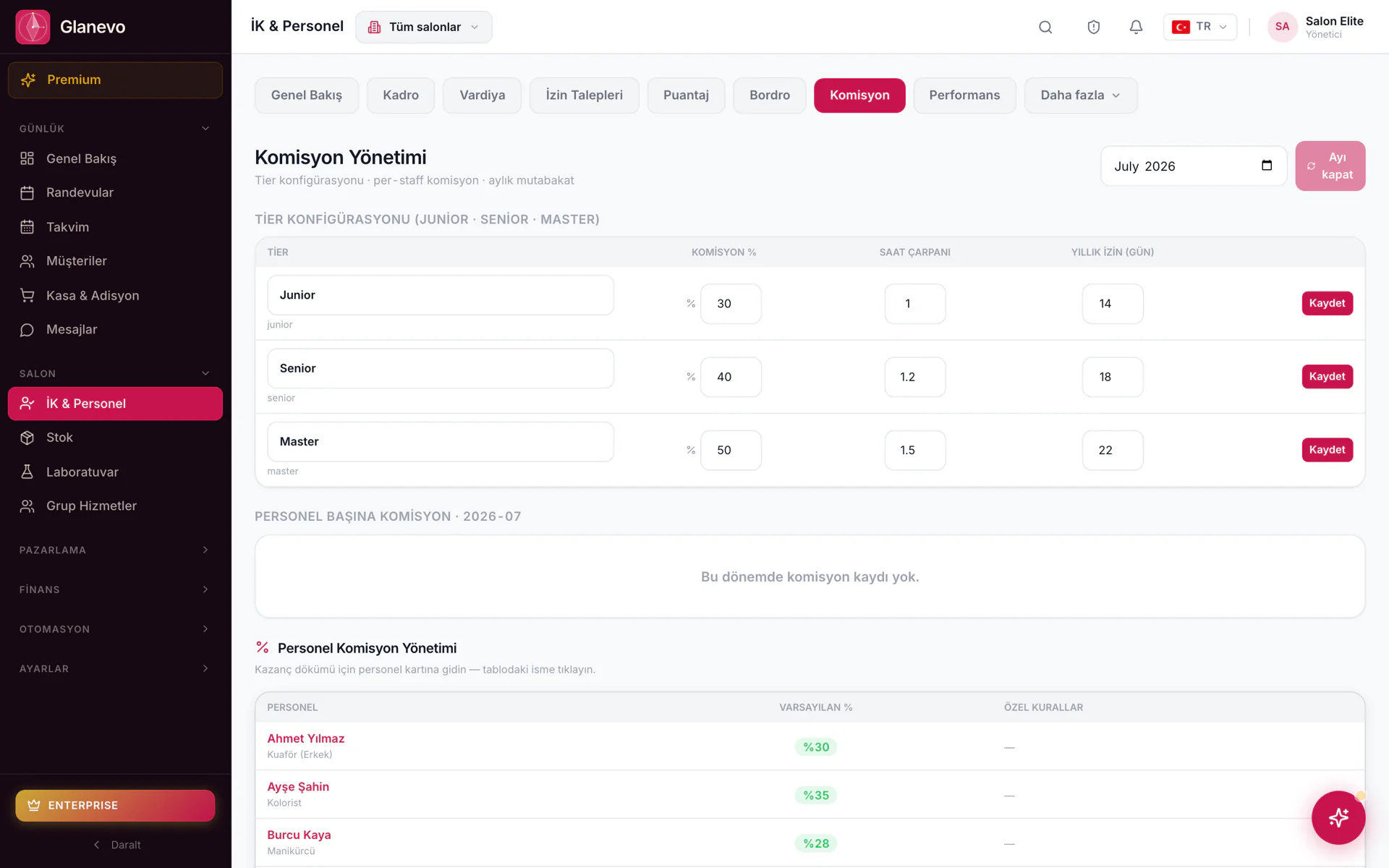
A salaried / commission team. Staff, shifts, commission and the bonus & earnings report.
You rent space to independent stylists. Chair rental tracks the rent and the tenants.
Your own team and renting stylists — both models side by side.
Why Glanevo
Most salons today pay separately for bookings, the till, income and costs, the website and marketing. Glanevo brings them together on one set of data.
Integrations
Payment methods change with the selected market. The shared tools stay the same everywhere.
Language ≠ market
Each country sees its own flag and its own market panel. You do not need to see the others.
Ready for the Bahrain market.

Can't find the market you're looking for? · All countries →
Getting started
You set up once. After that the system doesn’t ask again.
Pricing
Flat subscription. The essentials are in the plan; advanced features can be added one by one. You’re never pushed into an expensive plan for a single feature. Prices are localised to your country. Full comparison →
No card · every feature unlocked
Small salon
Growing team
Chain
Prices exclude VAT. Customers in Romania pay 21% VAT; businesses in other EU countries with a valid VAT number are invoiced without VAT (reverse charge).
You add a single feature without upgrading your plan.
FAQ
From setup to pricing, from AI to data protection — straight answers. For the detailed plan comparison see the pricing page.
Most salons take their first booking the same day. Once you pick country, sector and operating model (classic / chair rental / hybrid), the tax rates, currency, payments and menu arrive for that market. The 14-day trial starts without a card.
Yes. You import from a spreadsheet or your old system. The tidier the list, the faster the move; with messy records we help during setup.
Short videos, live help depending on your plan, and the Onboarding assistant. The aim: nobody leaves a chair empty while learning the panel.
No. Language only changes the interface; tax rate, currency and payments come from the market you select. The e-document adapter opens as it is proven. You can work in Turkish on German infrastructure — language is one thing, market another.
From a single chair to many branches. You pick a classic salaried team, chair/room rental or a hybrid model; permissions and reports follow the model.
The panel is cloud based; syncing continues as soon as the connection returns. Anything on screen that wasn’t saved waits in the browser and is sent once you’re back online.
The entry point is a 14-day free trial: no card, features unlocked for the duration. When it ends you pick Starter, Pro or Pro+.
Current amounts are shown in your country’s local currency; the pricing section above and the pricing page read from the same source. The full list is on the pricing page.
Yearly works out as two months free — the monthly amount drops. The monthly/yearly switch shows it.
No. Flat subscription. We don’t use a “cut per new client” model.
No. You can switch on a single feature without growing your plan (the Lab or the AI assistant pack, for example). One need never forces you onto an expensive plan.
If you don’t pick a plan at the end of the trial, no paid period starts. Cancellation and end-of-term conditions are set out in the terms of use.
D-CCM opens passive time, such as colour development, to a second job. The short version is on this page; the setup detail is on the D-CCM module page.
Yes. Your branded online page uses the same queue as the salon calendar; clashes and stylist choice follow the rules set in the panel.
Yes. Calling someone in for a freed slot, walk-ins and waiting clients are all supported — especially critical for barber rhythm.
The day and week calendars have stylist colours, filters and a branch view. Multiple branches open up with your plan; an extra branch can be an add-on.
They can be set up. Alongside the fixed reminder, AI assistants can propose an extra nudge based on no-show risk — you pass it through the Approval Box.
On the service card: duration, price, staff mapping and the active/passive segment definition for D-CCM. Price lists are tied to your menu.
19 specialist assistants — no-shows, empty slots, win-backs and more. The real difference: the draft waits in the Approval Box; on the default setting nothing goes out until you approve it.
Every assistant has three gears: suggest only, apply on your approval, run fully autonomously. On the default setting nothing goes out until you approve it; give full authority if you prefer.
Assistant decisions gather there. At a glance you approve, reject or give that assistant standing permission — no “the AI ran off” feeling.
No — the assistant drafts it; you set the rules and the tone. You can edit the text or lock a template.
The AI assistant pack is an add-on: you can switch it on without growing your plan. Scope and limits are in the comparison list on the pricing page.
It works on your salon’s booking, till and client records, only with the permissions you grant. The aim isn’t an open chat bot; it’s an operations assistant working inside the job.
The providers on offer vary by market; the Payments block on your country page lists the ones shown there. Card, cash and remote collection via a payment link work regardless of market; the tab, split payment and end-of-day close never change.
Service, retail and tip on one receipt. Split payment, an open tab and an end-of-day close. Taking payment writes the sales record — no double entry.
No. Card and local payment provider fees are separate; which provider runs in your market is stated in the Payments block on your country page. The Glanevo subscription is a flat fee independent of them.
Yes — deposits and remote payment via a payment link. It can be tied to a booking rule to reduce no-shows.
Yes — each market has its own e-document adapter. Its name and availability appear once it is proven in the product; without proof only the sales record and the end-of-day close are used. The wrong country’s document never opens.
Tips are separated on the receipt; stylist commission and bonuses are reported per your staff rules. Bonus & earnings depth grows in Pro+ — it is not a legal payroll claim.
Glanevo sets its data processes according to the country profile. The privacy page states the processing purposes, the legal basis, the retention periods and data subject rights; the sub-processor list and the data processing agreement are provided on request. Your country’s data protection framework is shown in the Data protection block on the country page.
For the salon’s own client / booking / till records the salon is, as a rule, the data controller and Glanevo is the processor. Glanevo carries its own responsibility for account security and the subscription — the detail is in the data protection text.
It is limited by role and permission. Till, bookings, reports and the client card are authorised separately — an apprentice doesn’t need to see total revenue.
Access, rectification, erasure and portability requests are handled by the business — for its own client records the salon is the data controller and Glanevo is the processor. Deletion and export flows are supported; support helps where needed.
Yes — AI Team operations are described under their own heading in the privacy notice. Special category data (health / allergen notes) needs extra care in the Lab context.
Site cookies and the preference centre are in the cookie policy. Marketing communication runs on consent or legitimate interest and is managed from subscriber settings.
Didn’t find your answer? Try it for 14 days or write to info@glanevo.com.
When the client pays, the sales record is ready; you close the day from the same place. 14 days, no card.
Start the trial